


- Joined
- May 15, 2023
- Messages
- 447
- Reaction score
- 843
- Points
- 617
More free space on your PC drives! The easiest way to sort through images, music, videos and other personal files, to remove duplicate copies and free up disk space.
What Can Auslogics Duplicate File Finder Do for My PC?
When disk space starts running low, you need a tool that would allow you to clear storage beyond just regular junk cleanup. A duplicate finder is one of the best options that can often clear gigabytes on an average computer.
Scan most drive types for duplicates
With Duplicate File Finder, you can connect removable drives to your computer and easily delete duplicate files from them in a few clicks. Check USB drives, SD/flash cards, portable hard drives and more. Many of these drives may be small in size, so clearing space on them is especially important when you want to keep using the drive for saving data.
Pick the right duplicates for removal
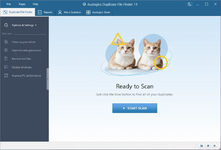
When a scan completes, you see a list of duplicates organized by groups. The program lets you go through the list of detected duplicate files and manually choose unneeded copies. Alternatively, you can let the app automatically choose and mark copies for removal using its smart selection algorithm.
Apply filters for precise searches
Find duplicate files by setting various criteria for your search: look for images, audio, video, archives, apps or choose to look through all file types. Set file attributes to ignore, skip files that are too large or small if you like, enter file names or name parts, or let the program run a search with default settings.
You may choose duplicate files to be removed to Rescue Center or the Recycle Bin to leave a chance of getting them restored if needed. If you are only clearing a specific set of duplicates and know they won’t be needed, choose to have them deleted permanently, so space is cleared immediately.
Run via right-click menu
Duplicate File Finder lets you add a special option to the context menu you get when right-clicking on a folder in File Explorer. This way, you can run a search for duplicate files in a specific folder by simply choosing this option from the right-click menu, without having to go and open the program.
There may be duplicate system files on your computer that need to stay in different locations. Auslogics Duplicate File Finder helps make sure that no critical files are deleted by automatically adding system folders and other important locations to the Ignore List, so they will be skipped during duplicate scans and cleanups.
File size: 22.2 MB
To see this hidden content, you must react with one of the following reactions :  Love, Wow
Love, Wow