


- Joined
- May 15, 2023
- Messages
- 447
- Reaction score
- 843
- Points
- 617
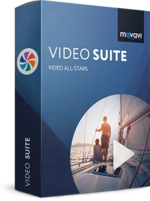

Movavi Video Suite is comprehensive video making software that helps you create professional-looking movies and slideshows on your home computer – even if you have no experience. Incorporate music, create text captions, apply visual effects and transitions – you can do whatever you want with your video. In addition to the video making app, Movavi Video Suite contains a number of useful apps to help every video maker: powerful video converter that supports 180+ media formats, convenient utility for burning DVDs, a special tool for digitizing analog video, and more.
Making video with Movavi is easy and fun! So, let’s get started!
Step 1. Decide What You’re Going to Make
Make a movie from video or audio clips already stored on your computer, mobile device, or camera
Create a slideshow from photos or pictures
Capture video from a screen and make a video tutorial
Record yourself on a webcam to create a unique entry for your blog
Step 2. Make Your Video and Audio Better
Improve Video Quality
Stabilize shaky video, tweak color settings, sharpen blurry video, and much more
Cut and Join
Cut out unnecessary fragments or join individual clips to make one longer movie
Let Your Story Flow Smoothly
Link the different segments of your video with stylish transitions
Step 3. ...and Apply Intriguing Video Effects
In Movavi Video Suite you’ll find more than 80 different visual effects, including
Retro Movie
Slow Motion
Flying Objects
… and many more
Step 4. Let the Music Play! Let the Words Fly!
Work with Audio
Add background music and sound effects in almost any format
Take advantage of the built-in ready-made audio tracks and samples
Record your own voice-over using your microphone
Vary audio volume and playback speed, equalize sound, apply fade-in/out effects
Overlay creative filters like Robot, Echo, Radio, and more
Add Captions and Labels
Choose from over 100 fonts
Add atmosphere with animated text
Create colorful text backgrounds
Enliven video tutorials with ready-made callouts
… and much more!
Step 5. Save Your Movie so You Can Watch it Anywhere!
Upload your movie to YouTube or Facebook directly from the program
or
Save it in any popular video or audio format and watch it on your computer
Use our handy mobile presets to watch your movie on your smartphone, tablet, or other mobile device
Record video on CD, DVD, or Blu-ray
And that’s not all!
In addition to Movavi’s video maker, you also get a set of useful apps that will come in handy anytime you’re working with video. You’ll find:
The most powerful video converter ever!
Supports more than 180 video, audio, and image formats, changes the file format as quickly as copying it from one folder to another.
Convenient app for screen capturing
Records all your screen activity at the best quality possible: your use of applications, streaming video and audio, and much more.
Video Digitizer
Will accurately digitize your VHS collection or video stream from your TV tuner, as well as transfer AVCHD-camera recordings to your computer.
File Size: 402.8 MB

To see this hidden content, you must react with one of the following reactions :  Love, Wow
Love, Wow